Part 2 · Offloading
12
Interrupted transfers
A pulled cable, a flat battery, a crash: Sansfer picks up where it stopped, and checks what was already done before it relies on it.
Resuming
Sansfer records every file the moment it is verified. If Sansfer quits unexpectedly, the Mac loses power or a drive disconnects, the transfer appears at the top of Transfers the next time you open Sansfer, with how far it got.
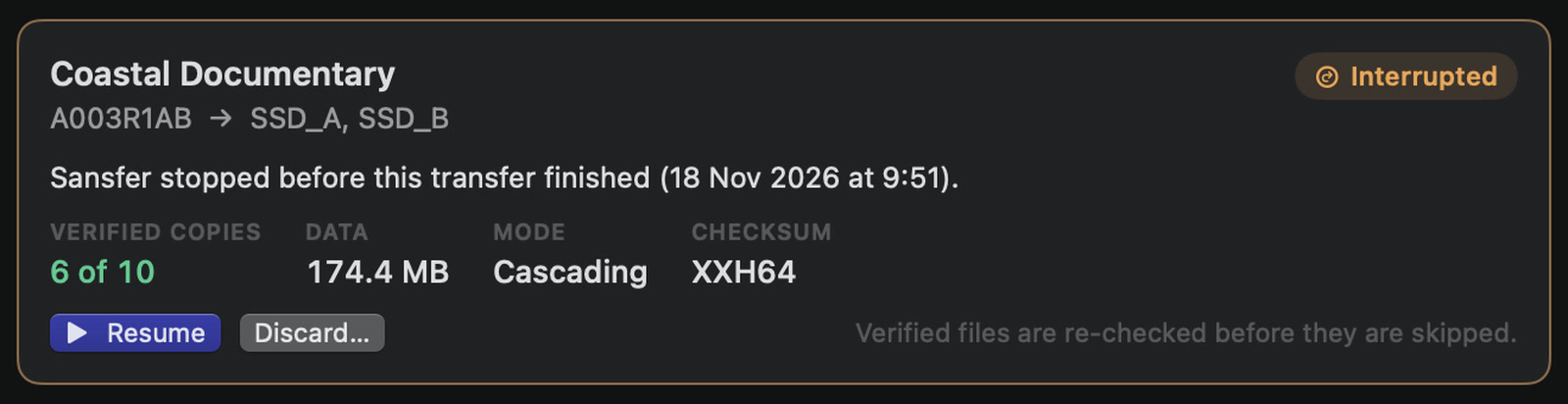
- Resume continues the transfer. Reconnect the card and the drives first.
- Discard… forgets how far the transfer got. Files already at the destinations are kept; nothing is deleted.
What Sansfer does when it resumes
- It finds the drives by their volume ID, not by their name. A drive that comes back under another name is found; a different drive with the same name is refused.
- It checks the files that were already verified before it skips them: by size and date, or, if you choose so in Settings › Verification, by reading them again completely.
- It copies only what is missing. A file that was half written starts again from the beginning.
In cascading mode, backups can be finished from the verified primary even when the card is no longer connected. A transfer that ended with failed files can be resumed or retried in the same way.
Re-verifying everythingChecking earlier copies by size and date is fast. Re-reading them with their checksum takes longer, but also catches damage that did not change a file's size, for example after a drive was dropped. Choose it in Settings › Verification › Recovery.