Part 5 · Reference
Licenses, trial and updates
Try Sansfer for 14 days with every feature, then activate a license. Your license works offline, never stops a transfer, and every future update is free.
The trial
For 14 days, counted from the first time you open Sansfer, every feature of Sansfer Pro is available. The top bar shows how many days are left. When the trial ends, Sansfer says so in Transfers:
- Transfers that are running or interrupted still finish.
- Your history and reports stay available.
- To start new transfers, enter a license key, or buy one with Buy Sansfer….
Buying and activating a license
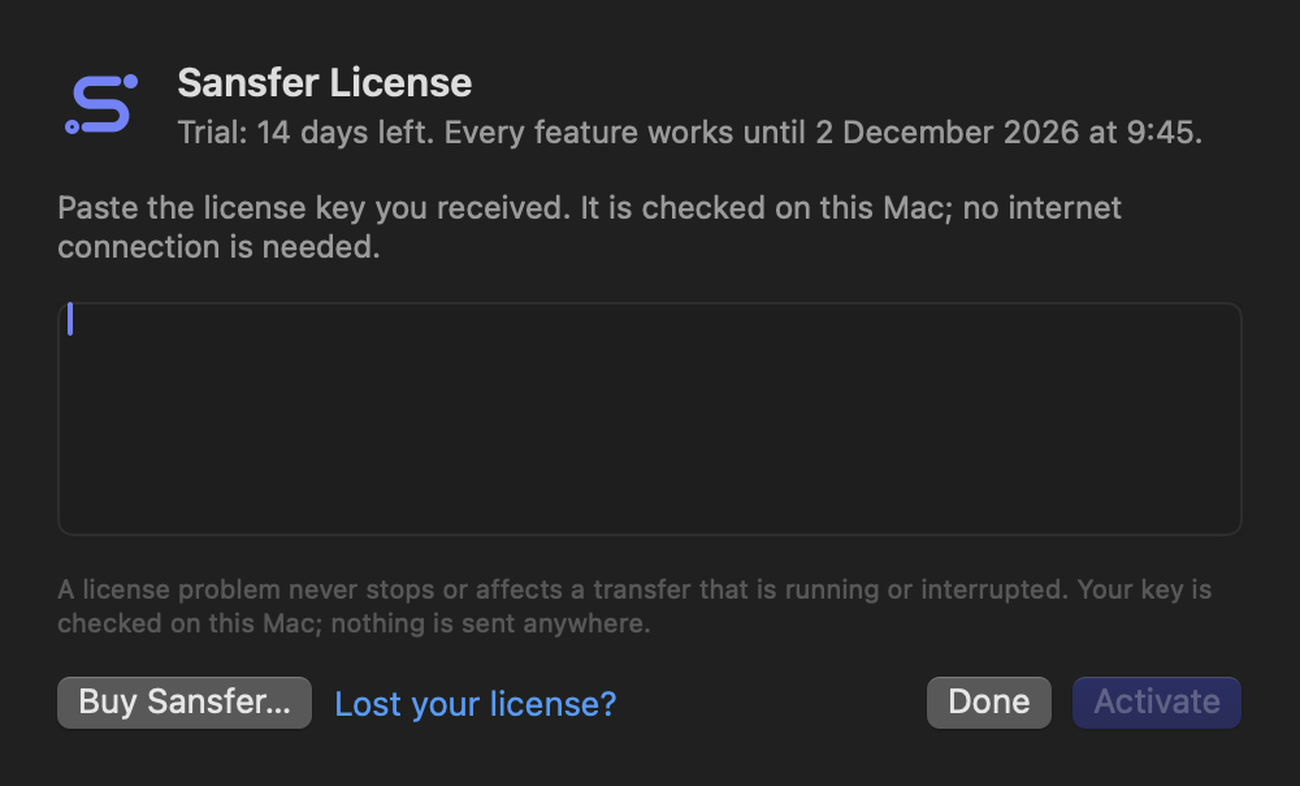
- Buy Sansfer or Sansfer Pro on sansfer.com, for one or more people. You receive your license key by email right away.
- Open Sansfer › License… (or Settings › License).
- Paste the license key into the field and click Activate.
The key is checked on this Mac; no internet connection is needed and nothing is sent anywhere. The license window then shows who it is licensed to, the email address, the edition and the number of seats. Remove License… takes it off this Mac, for example before you move to a new one.
- A license never expires.
- One license is for one person, on the Macs that person uses. A license for a team has a seat for every person.
- A license problem never stops or affects a transfer that is running or interrupted.
- Lost your key? Click Lost your license? and it is sent to the email address you bought it with.
Upgrading to Sansfer Pro
With a Sansfer license, the license window offers Upgrade to Pro…. You pay only the difference and receive a new key for Sansfer Pro, which replaces the old one. Everything you made stays as it is.
Updates
Every update is free. Sansfer checks for updates once a day when Check for updates automatically is on in Settings › General, and you can check yourself with Sansfer › Check for Updates….
- The check asks sansfer.com whether there is a new version; the request contains the app's version and nothing else.
- When there is one, Sansfer shows what is new and installs it only when you agree.
- Every update is signed and checked before it is installed.
- An update never interrupts a transfer: Sansfer waits until every transfer has finished before it restarts.
Your settings, projects, presets, history and license stay as they are after an update.